> For the complete documentation index, see [llms.txt](https://scaloom.gitbook.io/scaloom/llms.txt). Markdown versions of documentation pages are available by appending `.md` to page URLs; this page is available as [Markdown](https://scaloom.gitbook.io/scaloom/integrations/how-to-use-scaloom-with-expandi.io.md).
# How to use Scaloom with Expandi.io
In order to use your Scaloom analyses in your Expandi Campaigns, follow this guide
1.) Export your Scaloom analyse as a CSV file
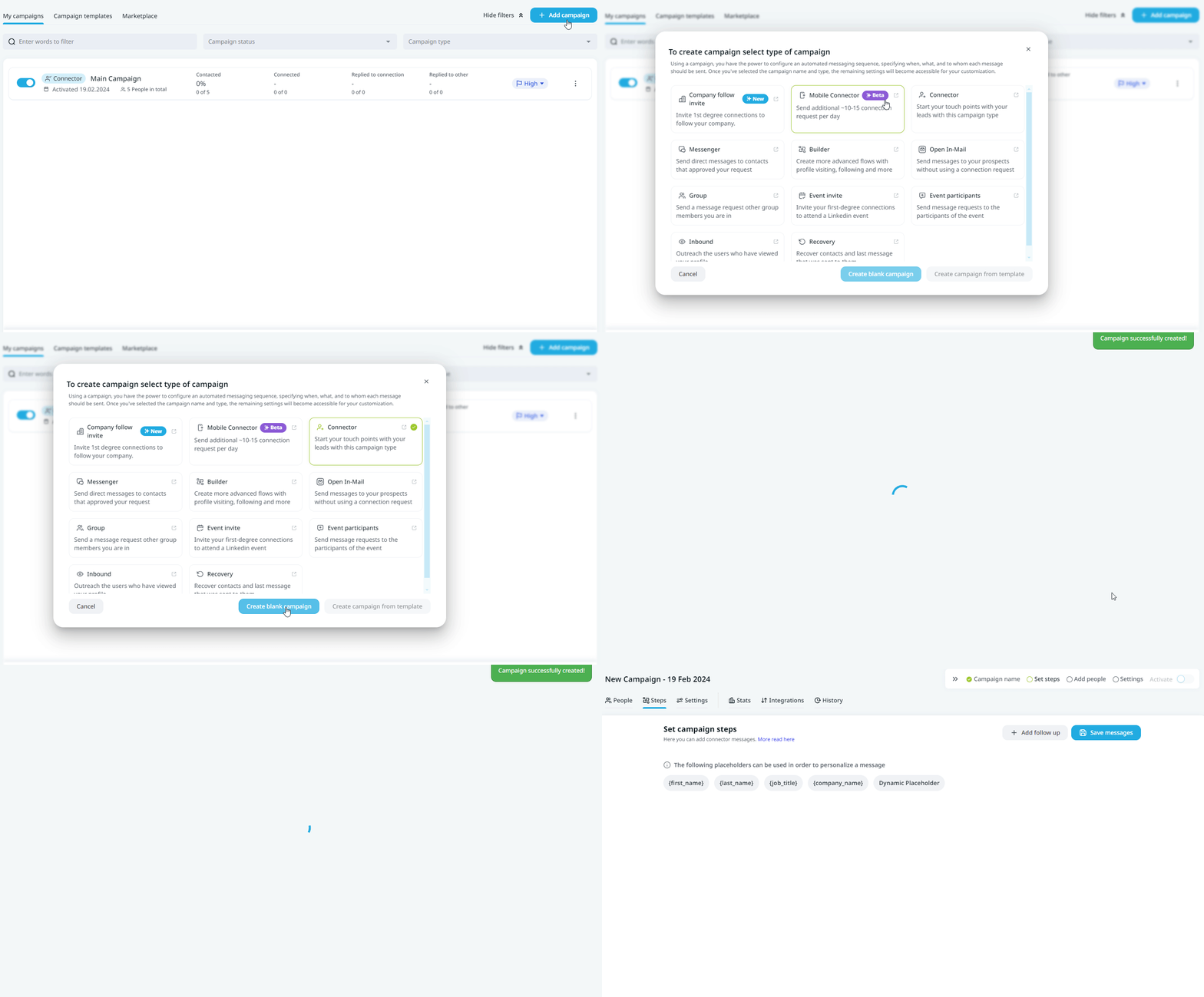
2.) Create a new campaign in Expandi and select Connector
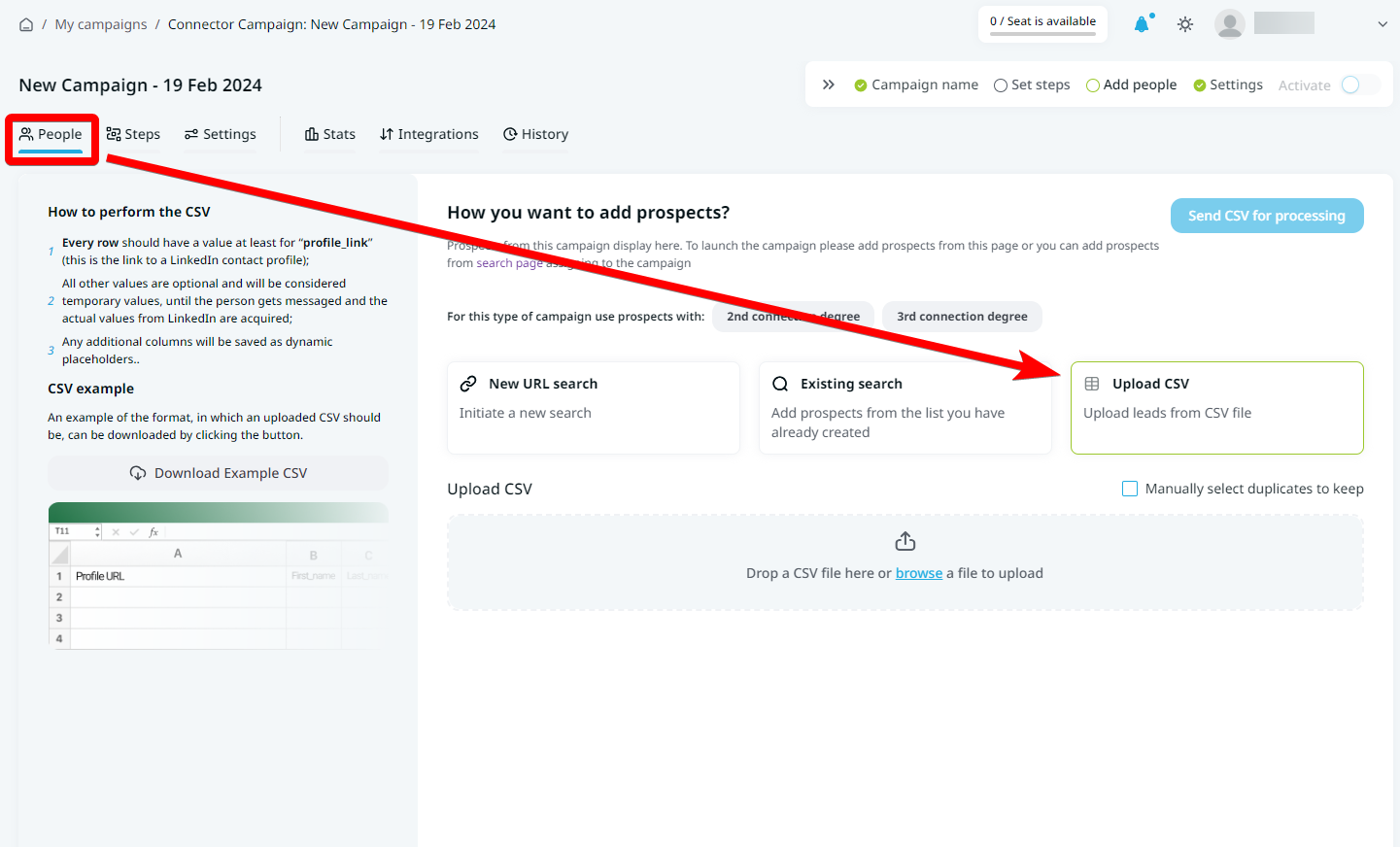
3.) Upload and Select your prospects
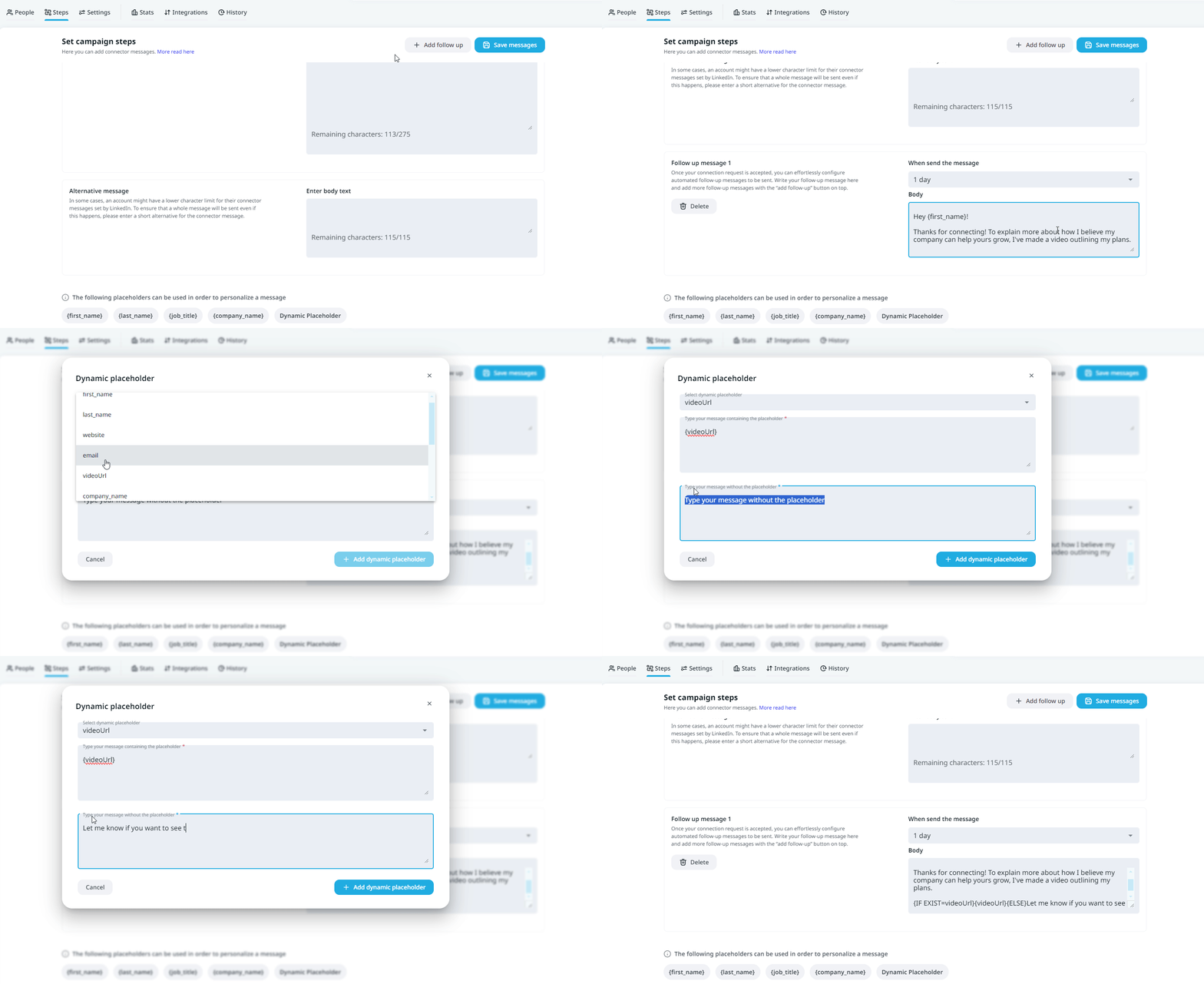
4.) Match your Pitchlane Data with the fields in Expandi and ensure that the field "thumbnailEmbed" is mapped to "Dynamic Placeholder"
\
5.) Ensure that the field "LinkedinProfile" is mapped to "profile\_link"
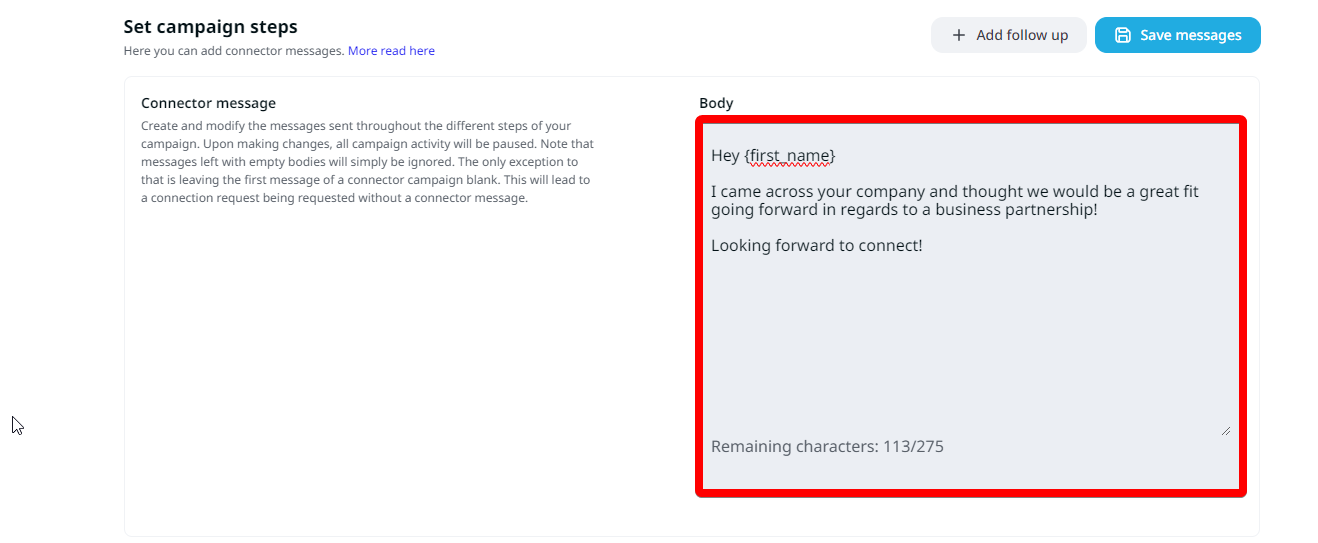
6.) Select the "Steps" tab, and craft your connection message! This is the first message that you send to an individual, as part of your process of establishing a LinkedIn connection with them. Due to the character limit, it is not advised to include your Scaloom analyses in this message.
7.) Select, "Add Follow Up" and craft your follow up message. To include your Scaloom analyse.
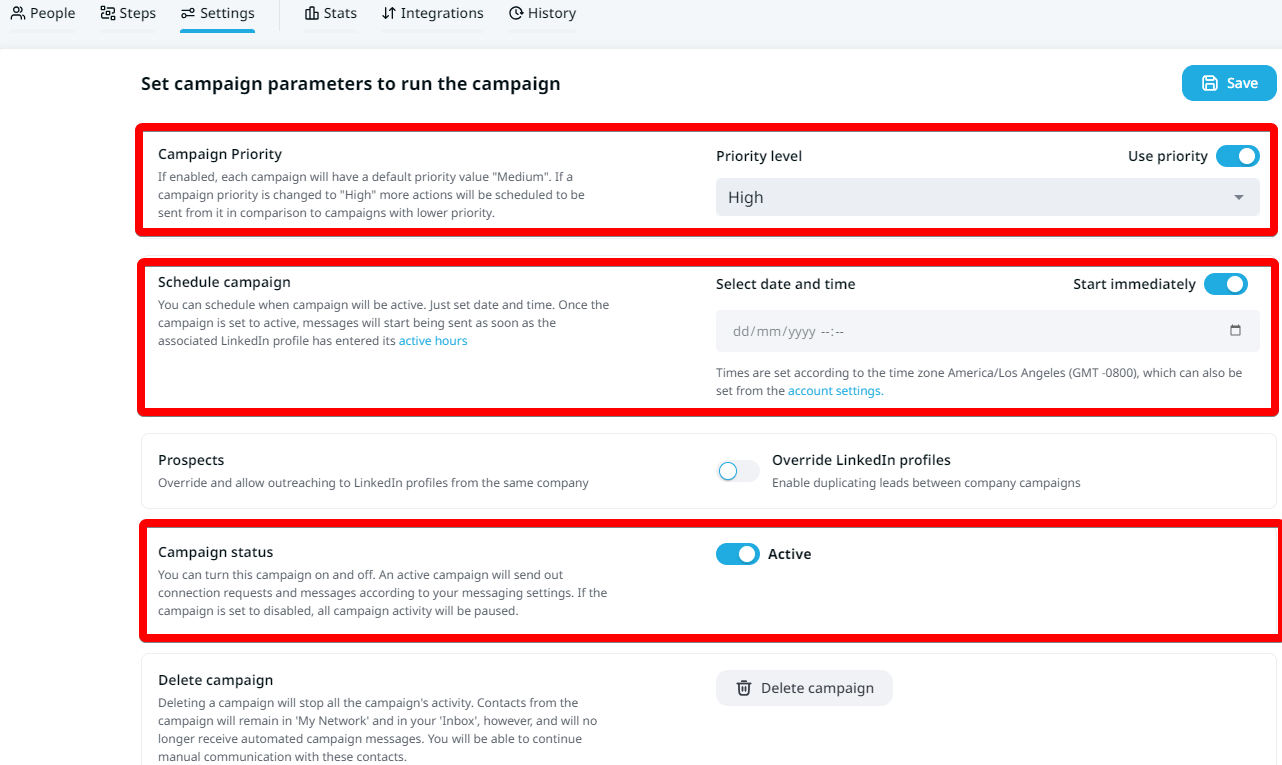
8.) Go to settings, and populate the fields accordingly
9.) Congratulations! \
You have now implemented your Scaloom analyse into your [Expandi.io](http://expandi.io/) Campaigns!